



Leverage your business with automated product photography
Simplify the creation of product content, lower expenses, and enjoy the diverse benefits of Orbitvu's automated product photography devices
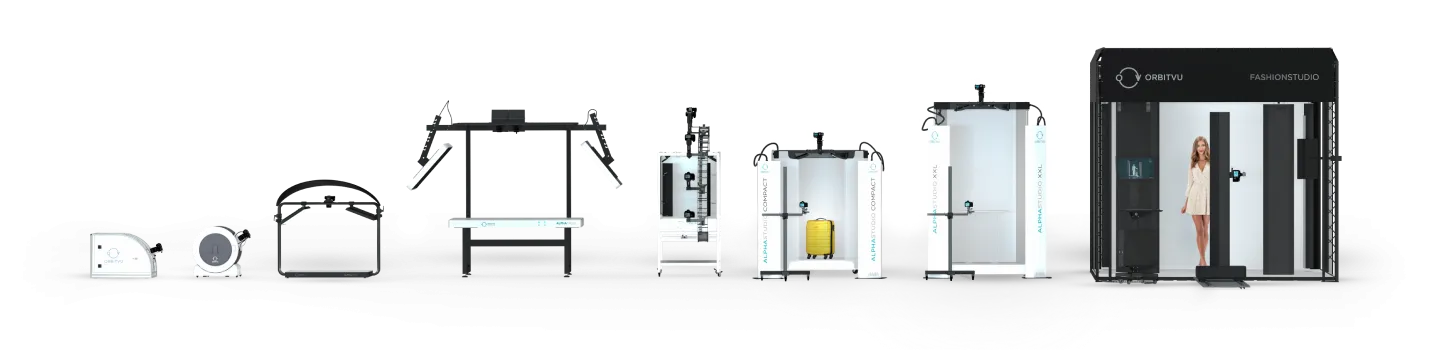

Thousands of companies around the world rely on Orbitvu solutions daily
Our customers have benefitted from 100s of millions of quality images and spins
Countless hours saved on producing and editing content with Orbitvu automation
Show off your product with automated photo technology
Show off your product with automated photo technology
Still product photography
Take high-quality still product shots for e-commerce and more in seconds.


360°/3D product photography
Make 360-degree photos and spins without any additional experience or training.
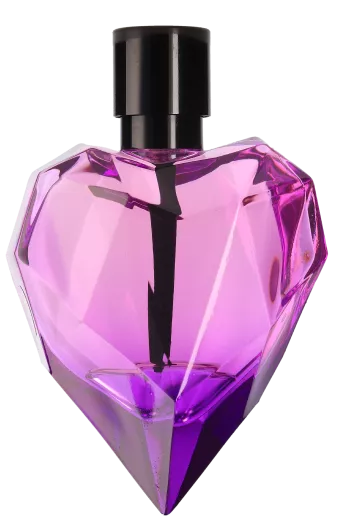
Live model photo and video
Shoot top-notch product photo and video content with live models with just one device.

Flat lay photography
Produce stunning flat lay content for your website, social media, and more.

Capitalize on our proprietary product photography software/hardware integration
Capitalize on our proprietary product photography software/hardware integration

Product photography made easy
Product photography made easy
Hassle out, convenience in. Orbitvu’s automation handles the mundane production tasks while offering the operator added convenience.
For example, Orbitvu’s turntable rotates your product, while several cameras shoot it simultaneously. The best part - the operator captures, processes and edits, and finally publishes the content from one workstation.

Consistency that strengthens branding
Consistency that strengthens branding
Boost your brand recognition by recreating the same look & feel in every image, regardless of the product. Orbitvu’s software works seamlessly with the motorized turntable, automated stand, digital cameras, and LED lighting, which means you can store and repeat any camera and lighting setup, product position, and post-production options to precisely recreate every shot.

Orbitvu adapts and grows with your business
Orbitvu adapts and grows with your business
Whatever specific product photography needs you may have, there is an Orbitvu solution for it. And when it’s time to scale up content production, our template-based workflow makes it extremely easy. If you grow, simply get another machine, copy and paste the templates, and you are ready to go.
Take advantage of our full range of dedicated photo automation devices
Take advantage of our full range of dedicated photo automation devices


Benefit from outstanding content that converts
Benefit from outstanding content that converts


Streamline your
product photography
with Orbitvu
Streamline your
product photography
with Orbitvu
You already know which solution
is best for your business?
You’re not sure which Orbitvu solution fits your business needs best?
Take a closer look at the benefits of our automated product photography solutions
Take a closer look at the benefits of our automated product photography solutions

Get professional results with
no additional skills
Get professional results with
no additional skills
It usually takes an hour of training to get you up and running with an Orbitvu device. Pre-defined templates and easy-to-use post-production tools allow you to create high-quality content without advanced photography knowledge or experience.
On the other hand, the functional flexibility of our devices with features such as light intensity control and better camera setup will let any professional photographer fully unleash their creativity to achieve exceptional content in various styles.

Easily scale up content creation
Easily scale up content creation
Need to shoot more photos, create more content? Easy. Our camera, lighting, and turntable position templates, and post-production information make repeating the same shots a breeze, saving you time and effort.
Expanding your business? Just add another Orbitvu device, paste the templates, and you’re ready to go! The shots from both devices will be exactly the same.

Keep the know-how in the company
Keep the know-how in the company
Free your content creation from the issues associated with employee turnover or extended holiday leaves. Your product content style (camera settings, position, lighting, and post-production setup) is no longer dependent on a select few photography professionals - it’s now embedded in your devices and stays in the company forever.
Set up once, reuse forever - even when your key employee is on vacation.

We support our customers with more than just a device
We support our customers with more than just a device
Our sales team will help you choose the right solution, while our customer support makes sure you’re making the most out of it.
Trusted by
Trusted by


Discover how Orbitvu solutions have helped our customers
Discover how Orbitvu solutions have helped our customers
View our dedicated solutions
for various industries
View our dedicated solutions
for various industries


Streamline your
product photography
with Orbitvu
Streamline your
product photography
with Orbitvu
You already know which solution
is best for your business?
You’re not sure which Orbitvu solution fits your business needs best?
